Intranets and Microsoft 365

Broken business communication?

Nonsense

Stop searching for documents in emails and announcements on bulletin boards. Unify teams and processes in a modern intranet. Everything securely in Microsoft 365.
Illustration of two overlapping browser windows with icons for Microsoft Outlook and Microsoft Teams above them, highlighting integration within Microsoft 365 to support business digitalization and seamless enterprise connectivity.

Certified experts.
No trial and error.

Faster information. The intranet speeds up the distribution of news and regulations up to six times.

5x

Faster search.
Document management in SharePoint is clearer.

80%

The company is innovating.
Most successful businesses will implement a modern intranet by 2027.

Unify Outlook, SharePoint, and Teams.

Intranet and Extranet in Microsoft 365

A simple icon depicting two white overlapping circles with a smaller circle on top, and a magnifying glass in front - represents searching for people or users - ideal for custom intranet solutions or SharePoint intranets in a Microsoft 365 environment.

Don't employees know what's going on in the company?

Nonsense
Solution:
Modern and visually appealing intranet. Share news, company policies, request vacation, and important links. All in one place.
Illustration of three blue binders stacked vertically in the center, flanked by two document-style windows that symbolize business digitization and modern approaches to digital file management.

Contracts lost on private drives?

Nonsense
Solution:
Document management in SharePoint. Search, versioning, and access control.

Managing one project via email, WhatsApp, and Excel?

Nonsense
Solution:
Connecting in Teams: Communication, Tasks, and Shared Files in Workgroups.
A smiling woman holding a MacBook appears next to two stylized chat bubbles on a blue background, suggesting online communication, digitization of processes, or collaboration with Microsoft 365 tools.

Why Microsoft 365?

Because it's safe, scalable, and doesn't require you to pay additional unnecessary licenses to third parties.
Stylized logo with four overlapping teal and teal green circles and a dark green square with a large white letter S in the foreground, representing process digitization.
SharePoint
Your secure storage and company portal.
Microsoft Teams Logo: Two stylized purple figures, one in front of the other, with a bold white letter T on a small blue square – a symbol of process digitization in modern businesses.
Teams
Communication connected directly to your company data.
A colorful, gradient ribbon shape forms a loop with a black rectangle in the bottom right corner, containing bold white text spelling out M365, symbolizing the digitization of processes and the performance of Microsoft 365 services for businesses.
We know Office applications
Word, Excel, and Outlook. Work with tools you already know.
Microsoft Entra
Strict Security and Identity Management.

These companies already
They communicate modernly.

Do you know exactly where you're losing time and money?

Nonsense

Launch our NONSENSE SCANNER. In 3 minutes, find out how much precious time and money you're really burning on unnecessary operations.

What you get:

Quick calculation of hours lost on routine work.
Uncovering hidden bureaucratic pitfalls in your organization.
Specific examples of solutions that make sense.
A young man in a light green checkered shirt smiles, holding an open laptop and looking to the side - he is ready to embrace digitalization with Microsoft 365 on a simple white background.

Are you still hesitating?

Answers to the most frequently asked questions about modern intranets and the Microsoft 365 platform.

Teams is great for quick chats and meetings, but if you start dumping everything into it, it becomes chaotic and disorganized. The intranet (SharePoint-based) serves as the company's "main bulletin board" – a stable place for permanent guidelines, important company-wide news, and approval processes. We will then seamlessly connect these two worlds.

If your company already uses the Microsoft 365 office suite, in most cases you already have everything you need paid for. Are you paying expensive licenses just for mail and Word? Nonsense. We will unlock and set up the full potential of the platform you already own.

That was true 10 years ago. Today, it's the vibrant hub of your company. OPIUM's modern intranet integrates request approvals (e.g., for vacations), links to Power BI reports, extracts data from contracts using AI, and actively engages employees in company activities.

Hand over a portal and leave you to it? Nonsense. Our delivery always includes an adoption process. We design the system to be visually appealing and a real day-to-day facilitator for employees, not another obstacle.


We also provide other services

See what else we can help you with.
A blue computer monitor icon with a large blue cursor arrow overlapping its bottom right corner on a light gray background.

Comprehensive digitalization

We will create comprehensive custom management software for you in Microsoft 365.
Five blue shapes on a light background: two rounded squares, one rounded rectangle, one smaller rounded square, and two starbursts. All shapes have a light, glossy gradient effect.

Custom Applications and CRMs

We will create applications and CRMs specifically for your needs in SharePoint.

Cloud infrastructure

We will ensure a smooth transition to the cloud and the protection of your data.

Let's leave theories to others. We write what works

No IT jargon or PR fluff. Just real guides for Microsoft 365 and tips on how to cut bureaucracy from your company.
Uncategorized
11 minutes
readings

Microsoft Copilot vs. ChatGPT, Claude, and Gemini: Why You Need a Different AI Tool for Corporate Data

Let’s be honest right from the start: your people are already using AI. Some have ChatGPT rewrite their emails, others fed yesterday’s meeting notes into Claude to extract action items, and a salesperson used Gemini to summarize a competitor’s offer. They’re doing this for a good reason—it saves them time. They often do this on personal accounts that you don’t even know about.  And that’s exactly the point. The question for companies today isn’t „should we use AI or not?“ That ship has long since sailed. The question is: Will the AI that the company controls—and that runs on your data—be secure, or will it cause an uncontrolled outflow of company information to third-party servers, which has long been underway? Let’s get straight to the point.  What does „using Microsoft 365 in a business“ actually mean? Microsoft 365 isn’t just Word, Excel, and Outlook, for which you pay licensing fees. It’s an entire ecosystem—SharePoint for documents and the intranet, Teams for communication, Power BI for reports, and above all, Microsoft 365 Copilot—that is, AI that isn’t just floating in the air but works directly on your data.  That’s a fundamental difference from what you might imagine when you think of „using AI.“ Copilot in M365 doesn’t just know the internet—it knows your entire company. It knows what’s in your SharePoint documents, what’s been discussed in Teams, and what’s in your calendar and emails. And it operates within the permissions you already have in place at your company.  Most of the companies we know don’t even use 20% of what they’re paying for in Microsoft 365. The licenses are active, Copilot is right at your fingertips, and yet employees are still copying data into third-party tools. That’s exactly the kind of nonsense worth eliminating.  Where does Microsoft 365 actually save time? Specifically, not just in marketing buzzwords. The most common scenarios we see with clients: […]

On a wooden table next to a candle, a glass, books, and a decorative plant lies a laptop with the Copilot application open. The word „opium“ appears in the bottom right corner.
Microsoft
9 minutes
readings

New Copilot Features in SharePoint: Tips, Tricks, and Practical Real-World Scenarios 

If you've been following the development of AI for a longer time, just like us, and you're familiar with Copilot, then in our previous article, we already looked at how it can function as an everyday assistant for content work. However, things have progressed since then, not with one wow feature, but with a number of practical improvements that are starting to be noticeable, especially in regular workdays. We'll introduce you to 5 useful features that are gamechangers in daily work life. In other words, Copilot is already [...]
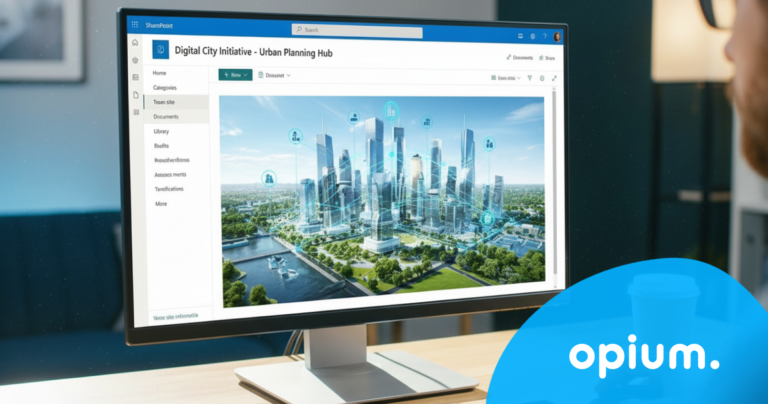
A person is looking at a city planning digital interface on a desktop computer monitor, which displays a futuristic city model with icons in the workspace. In the bottom right corner, the word opium is displayed in a blue circle.
Digitization
7 minutes
readings

If cities stopped putting out fires: 3 solutions that save them hundreds of hours today

Imagine a Monday morning at the city hall. The department head opens their laptop, needing to check the status of an investment project. They start searching through emails. Then they call a colleague. The colleague sends an Excel file – but it's not the right one. A third attempt. Fifteen minutes gone. And the project is still not clear. This is not an exception. This is the daily reality for most Slovak municipalities. In our experience, the average [...]
A friendly robot hovers next to a futuristic interface displaying AI-generated images and Slovak text, with a blue logo reading "opium" in the lower right corner.
Digitization
7 minutes
readings

AI agents in companies: when software works for you 

Let's admit one thing. Almost everyone uses artificial intelligence today. Some people write texts with it, some create presentations, some have Excel tables generated for them. AI has become a universal assistant: you open it, ask a question, get an answer, and continue. But while most people use AI as a handy tool, something a level higher is starting to appear in companies. An AI agent. And surprisingly many [...]

Two men in chef hats and casual jackets stand smiling indoors by a metal railing. In the bottom right corner is a blue graphic with the word opium.
Case study
4 minutes
readings

How to set up a Digital Workflow?

At Opium.systems, we love innovation, and sometimes we even „cook“ it up. One of our most unique activities, which we recently implemented at the Slovak Savings Bank's business conference, BIKOSS 2025, is the cooking show „How to Cook a Digital Workflow.“ Why did we have a cooking show, anyway? During typical digitization training or workshops, the human experience is often lacking – processes, workflow mapping, and automation are [...]

A man in glasses and a striped shirt is sitting at a desk, working on a computer in a modern office with plants and round blue walls. In the bottom right corner, the word "opium" is displayed in white text on a blue background.
Help
5 minutes
readings

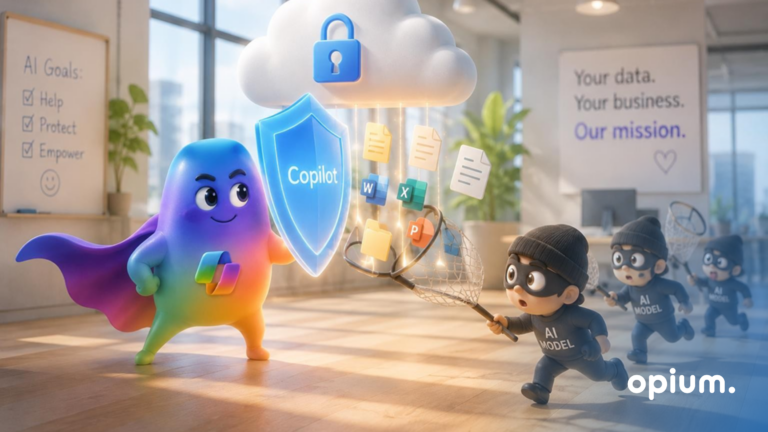
AI Agent Security - How Not to Let Your Copilot Sniff Out Your Secrets 

AI agents are like Swiss Army knives in the digital world. They can read, write, connect data, send notifications, automate workflows... if you set them up correctly, they won't even forget your boss's birthday. But in the wrong hands, or without oversight? They could accidentally reveal sensitive information, modify the wrong record, or trigger a process that wasn't supposed to be released yet. Their deployment can be either a win, [...]

Let's get to the point.

Do you know exactly what's holding your organization back?
Leave us your contact information and we will get back to you within 24 hours.
grant consent to the privacy policy*
Write to us anytime
ahoj@opiumsystems.sk
Call us directly
+421 911 209 609