Microsoft Copilot vs. ChatGPT, Claude, and Gemini: Why You Need a Different AI Tool for Company Data
July 7, 2026
8 minutes
Readings
Let's be frank right from the start: your people are already using AI. Some are having ChatGPT rewrite emails, others fed yesterday's meeting to Claude to extract tasks, and a salesperson had Gemini summarize a competitor's offer. They're doing it for a good reason – it saves them time. They're often doing it on private accounts that you don't even know about.
And here's the whole point. The question for a company today is not: „Should we use AI, or not?“The ship has long since sailed. The question is: Will the AI managed by the company and running on your data be secure, or will it cause uncontrolled siphoning of company information to external servers, which is already happening?
Let's get straight to the point.
What does „using Microsoft 365 in a company“ actually mean?
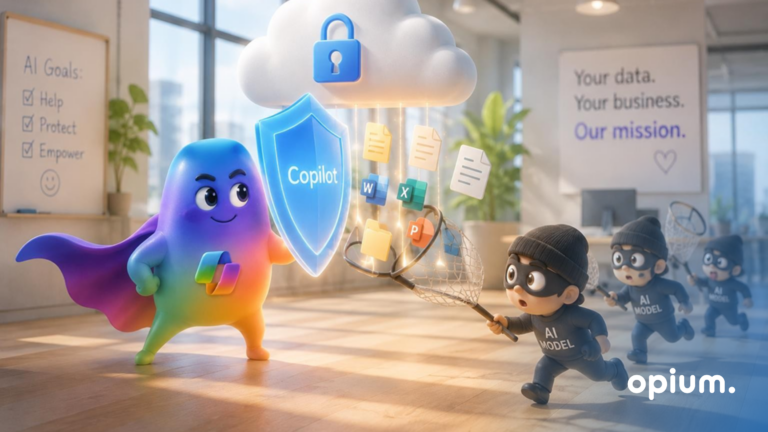
Microsoft 365 is not just Word, Excel, and Outlook for which you pay licenses. It's a whole ecosystem - SharePoint for documents and intranet, Teams for communication, Power BI pre-reports and above all Microsoft 365 Copilot– so AI that doesn't hang in the air but works directly on your data.
This is a fundamental difference compared to what you might imagine as „using AI.“ Copilot in Microsoft 365 doesn't just know the internet – it knows your entire company. It knows what's in your SharePoint documents, what's been written in Teams, what's in your calendar, and your emails. And it adheres to the permissions you already have within the company.
Yet most of the companies we know don't even use 20 % of what they pay for as part of Microsoft 365. Licenses are running, Copilot is within reach, and meanwhile employees are copying data to third-party tools. This is exactly the nonsense worth eliminating.
Where does Microsoft 365 actually save time?
Specifically, not in marketing jargon. The most common scenarios we see with clients:
Meeting summary. Copilot will rewrite and summarize your Teams meeting, including action items and responsibilities. No more „who was supposed to write this down.“.
Document and email preparation. Generate proposals, minutes, or client responses in seconds – based on the real context of your previous documents.
Information search. Instead of clicking through five folders, you ask in a normal sentence: „Where is the latest version of the contract with city X?“
Excel Analysis. Natural language question instead of struggling with a pivot table.
And now, why this isn't just a theory. In one city We replaced the Excel agenda report with an internal SharePoint hub. Chaos has turned into an environment where people perform approximately 60 targeted searches daily instead of making phone calls and searching for the correct file version.
In the wing Projects Some companies have freed up approximately 50 hours per month. These are not numbers from a presentation; these are real deployment results. Copilot, built on top of such cleaned-up data, then saves not minutes, but hours.
What in jHow is enterprise Microsoft 365 Copilot different from ChatGPT, Claude, or Gemini on a private account?
This is the core of the entire article. General models are great, but for enterprise data, they play in a different league – and not one the company needs. The difference isn't in „which model is smarter.“ The difference is in where your data ends, who sees it, and who can verify it.
Comparison table between Microsoft 365 Copilot (business version) and ChatGPT/Claude/Gemini on a private account according to the following criteria:
data placement,
use for training models,
Company knowledge,
security,
auditability,
General Data Protection Regulation,
costs.
In other words, a private ChatGPT is like handling sensitive documents on a park bench—quick, but anyone around can see what you're doing. Microsoft 365 Copilot offers similar speed, but it works in your locked boardroom.
A Quiet Problem That Isn't Talked About: Shadow AI
„Shadow AI“It's exactly what we started with – employees are using AI tools that the company hasn't approved and can't see. And not because they're disobedient. Because it helps them and the company did not offer them a safe alternative.
Banning it with a command doesn't work. Companies before you have tried it, and it only resulted in people continuing to use AI, just more cautiously and in secret. The only thing a ban will cause is you losing even the sliver of insight you might have.
What works? Give people a secure tool that is at least as convenient as the private one. Then there's no point in copying company data elsewhere. That's why the company Copilot makes sense purely from a security perspective – not as additional software, but as a replacement for something already running out of control.
When, on the other hand, is a general model sufficient and better?
Let's be fair, otherwise it would be an advertisement, not an article. There are tasks where the general ChatGPT, Claude, or Gemini are perfectly fine and often even more capable:
Brainstorming general ideas, where it's not about company data,
working with publicly available information,
generic text, translations, or code that does not contain sensitive data,
specialized tasks where you want the most powerful model available.
The line is simple: if nothing corporate or sensitive is involved in the task, a general model is fine. The moment your data, documents, or customers come into play, it belongs in a corporate environment. A healthy company doesn't have„either-or“but clear rules about where things belong.
Without order in the data, not even Copilot can save it.
And now the unpleasant truth that the license seller won't tell you: Copilot is only as good as your data and permissions.
If you have documents scattered across five drives, chaos in Teams, and permissions set in a „Let everyone see, let there be peace“two things will happen:
Copilot won't find anything usable because it has nothing to search in.
Or finds too much – including things that person shouldn't have seen.
Copilot respects existing permissions. If they are as full of holes as Swiss cheese, the problem is not with the AI, but with the environment's configuration.
Copilot is not an „artificial intelligence on“ project. It's primarily a data organization project: one source of truth, meaningful structure, Updated permissions and sensitivity labels on what is truly sensitive. If this fits, AI is the cherry on top. If it doesn't fit, it's an expensive disappointment.
How to get started with Microsoft 365 and Copilot in your company
No nonsense, in steps that actually work:
Conduct an authorization audit.
Upload the data to the central hub (ideally SharePoint).
Apply sensitivity labels to sensitive documents.
Launch the pilot on a small group of users.
Provide people with training and clear rules for AI usage.
Evaluate the results and then expand the solution.
Most companies can handle steps 1 through 3 on their own. If not, this is precisely the area where we can help. Initial results are usually visible within a few weeks.
Frequently Asked Questions
Is Microsoft 365 Copilot worth it for small businesses?
Yes, if you have at least basically organized data and a team that works daily with documents, emails, and meetings. You can easily calculate the return on investment: number of hours saved × hourly rate versus license cost.
Is Microsoft 365 Copilot safe for company data?
Yes. Data remains within the company's environment and is not used for model training. However, security depends on correctly configured permissions.
What is the difference between Copilot and ChatGPT for business?
Copilot works directly on company data and respects company permissions. ChatGPT on a private account does not know your internal data and using it may involve sending data outside of the company environment.
Can employees use free ChatGPT instead of Copilot for company tasks?
Technically yes, and they often do it already. The problem is losing control over where company data ends up. The solution isn't a ban, but a secure enterprise alternative.
How much time does Microsoft 365 actually save a company?
It depends on how much time you waste today searching for information and performing manual operations. In practice, this often amounts to tens of hours per month. The greatest savings are not achieved in writing texts but in searching for information, organizing work, and eliminating repetitive manual activities.
Share post
Article content
Do you know where exactly you're wasting time and money?
Launch our NONSENSE SCANNER. In 3 minutes, you'll find out how much precious time and money you're actually burning on unnecessary operations.
We use technologies such as cookies to store and/or access device information to provide the best experience. Consenting to these technologies will allow us to process data such as browsing behavior or unique IDs on this site. Not consenting or withdrawing consent may adversely affect certain features and functions.
Functional
Always active
Technical storage or access is necessary for the legitimate purpose of enabling the use of a specific service explicitly requested by the subscriber or user, or solely for the purpose of transmitting a communication over an electronic communication network.
Preferences
The technical storage or access is necessary for the legitimate purpose of storing preferences that are not requested by the subscriber or user.
Statistics
Technical storage or access that is used exclusively for statistical purposes.A technical storage or access that is used exclusively for anonymous statistical purposes. Without a subpoena, voluntary compliance by your Internet Service Provider, or additional records from a third party, information stored or retrieved solely for this purpose can usually not be used to identify you.
Marketing
Technical storage or access is necessary to create user profiles for ad serving or user tracking on a website or across multiple websites for similar marketing purposes.