E-invoicing in Microsoft 365: an obligation you don't have to worry about
September 30, 2026
8 minutes
Readings
January 2027 is approaching, and with it comes the mandatory e-invoice. Most companies take it as another hassle for accounting. Fear of the e-invoice? Nonsense. We’ll show you why you can have it where you already work today, in Microsoft 365 and SharePoint.
What is e-invoice and digital postman?
From January 1, 2027, VAT payers in Slovakia must issue invoices in structured XML format for domestic transactions. You do not send the invoice yourself, but through digital postman, Thus, a certified provider who delivers it to the recipient and at the same time automatically notifies the financial administration of its details. Opium is one such postal service provider. Every company, even a VAT non-payer, must be able to accept e-invoices and store them for 10 years in their original format.
And now the important part. Most companies will say:„Our accountant Katka will solve that.“And the e-invoice will end up locked in another portal, which only one person can see. How the invoice looks is determined by the law. Where you work with it, however, is up to you. With Opium. Posta, you secure the e-invoice with us and have it in your Microsoft 365.
Why shouldn’t e-invoices only exist in accounting?
This is the most expensive sentence in the company:„Katka has that invoice.. “Katka has it with her; the manager has to approve it, but she’s out of the office, and the administrator asks why the supplier is calling about an unpaid invoice. The Excel spreadsheet of invoices is up to date exactly until the moment Katka leaves for lunch.”. Nonsense. Solution: One place where the invoice arrives, where the right person approves it, and where you can find it five years from now, before you would find a dusty folder.
IfDoes e-invoicing with Opium look like mail in Microsoft 365?
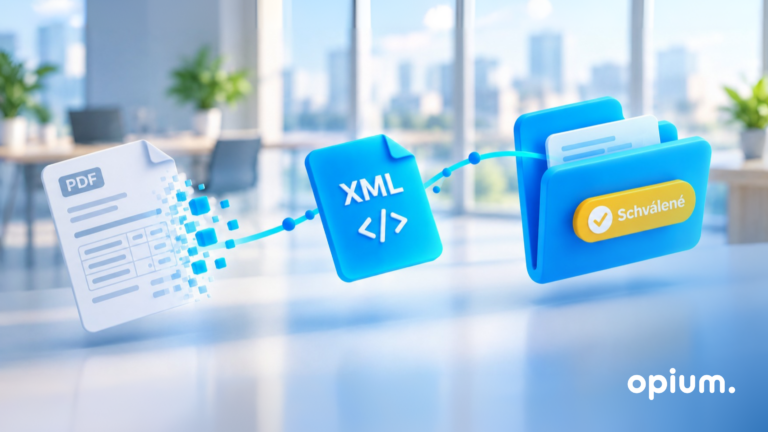
The principle is simple. Opium. Postman is a digital postman who doesn't live in a separate portal, but directly in your Microsoft 365. Delivering the e-invoice via the Peppol network and notifying the financial administration of the data will complete them for you, and will store each invoice directly in your SharePoint. The path of the received invoice then looks like this:
Income: Opium. The postman will receive the e-invoice, read it from the supplier, the amount, the due date, and the order number, and store it in your SharePoint library as an original XML, PDF, and readable preview. At the same time, he will pass on the invoice data to the financial department.
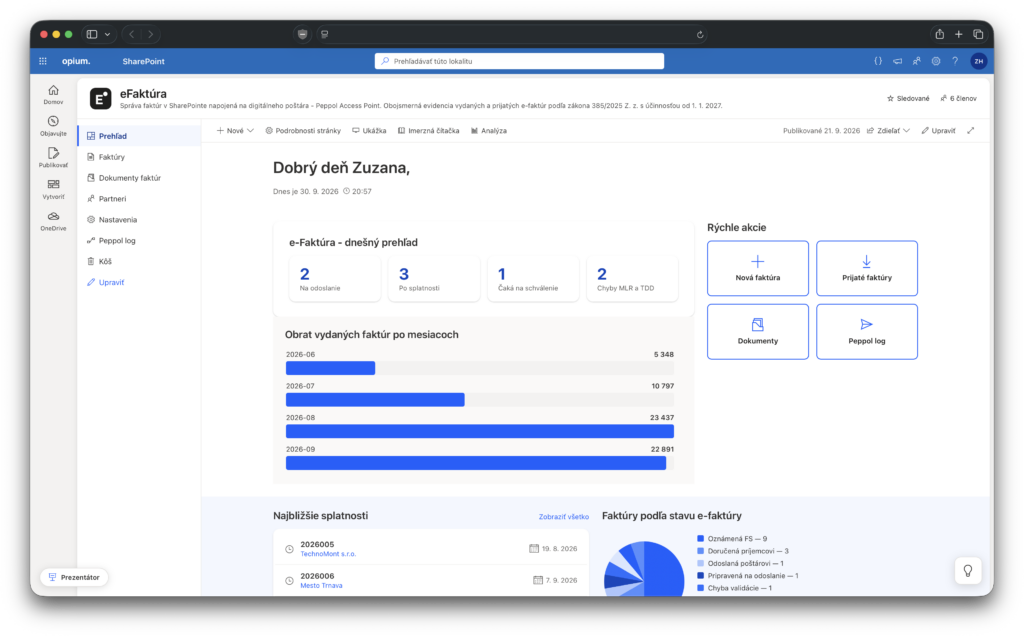
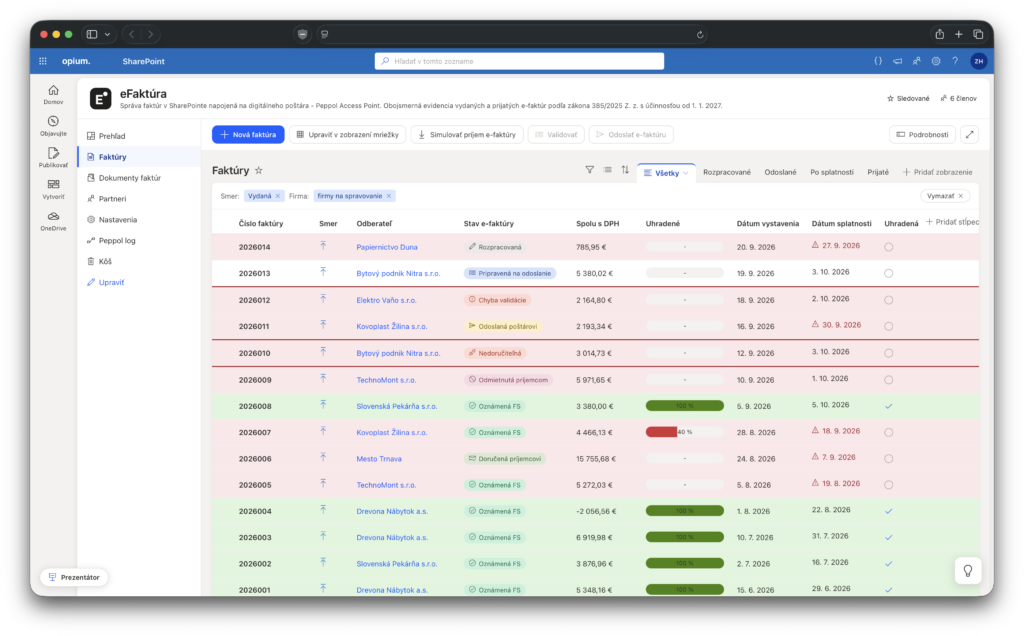
Approval: The invoice will arrive according to the rules to the correct person, who will approve it in Teams, Outlook, or on mobile. The accountant can see the status of the invoice directly in SharePoint and will take the approved invoice to the accounting program.
Archive: The invoice remains in your SharePoint in its original XML format and can be searched by supplier, amount, project, or center.
And the same thing works in the opposite direction. The invoice that you issue is delivered by Opium Post to the recipient, reported to the financial department and a copy of it is stored in SharePoint for the order.
How does it look in practice?
Several model scenarios how our Opium. postman can work even in your company or at the office:
Construction manager on the construction site. The subcontractor sends an e-invoice for the concrete. Opium. The postman receives it, assigns it to the order, and the construction manager receives a notification in Teams. He approves it on his mobile device directly on the construction site.
Invoice with the order. Opium. The mailer reads the order number from XML and automatically matches it with the order in SharePoint. If the amount doesn't match, the system alerts you before anyone pays the invoice.
Inspection or audit. The question comes up for all invoices from one supplier over the last three years. Since Opium. Postman stores each invoice in its original XML in SharePoint, a filter and export are all that is needed in a few minutes.
Local government. The city must also publish some invoices. When Opium. Postman stores the data directly in a structured format, the publication can be largely automated.
How to get Opium.postman into your company?
Opium. You can secure postal services directly with us and we will be happy to install it in your Microsoft 365. You don't need to install anything or look for another provider. The process is simple:
Meeting: Let’s look together at how invoices in your company are being processed today and who is approving them.
Registration: we will register you in the Peppol network through Opium. the postman.
Settings in Microsoft 365: We will prepare a library in SharePoint, approval rules, and a connection to Teams and Outlook.
Launch and support: We will go through the first invoices together and we remain at your disposal even after that.
Why is it better to have an e-invoice and a digital postman directly in Microsoft 365?
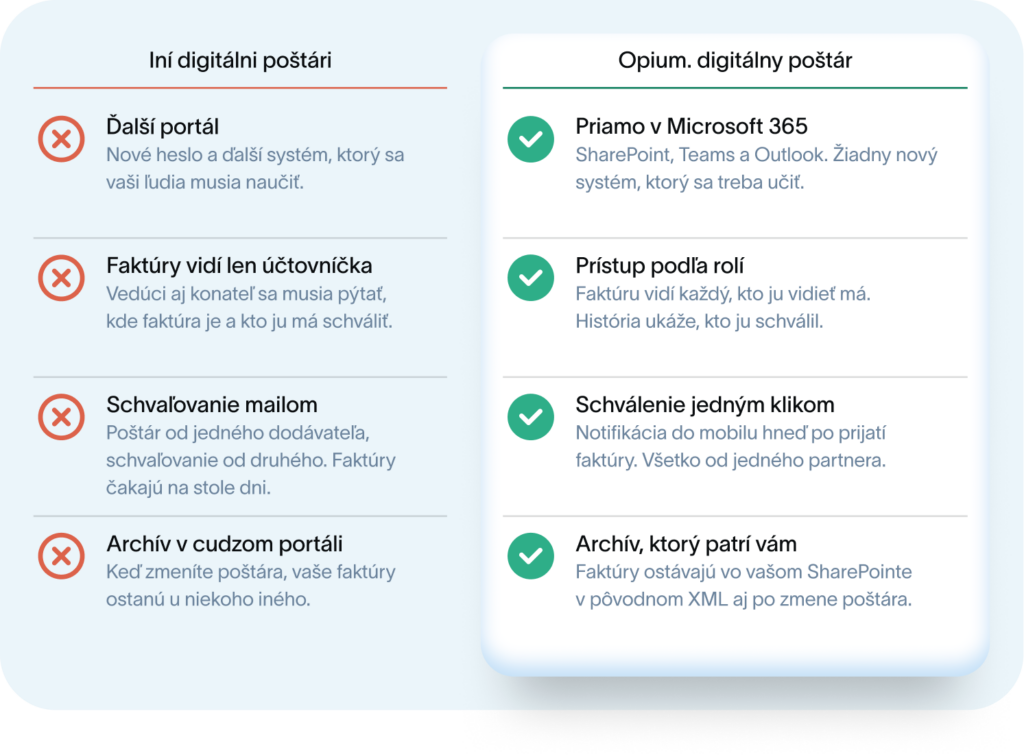
Most digital mailboxes are another separate portal with another password, to which only one person logs in. Opium. The postman goes the opposite way: he will deliver the e-invoice to where your people already work every day. What you gain:
One partner for everything.Opium. You have the mailer, SharePoint setup, and approval processes from us, with one support contact.
No new system. The mailman, approval, and archive are all in one place. People don't have to learn new software and all invoices are visible in one place.
Approval from anywhere. As soon as Opium. receives the courier invoice, a notification will arrive in the approver's mobile phone. The invoices will then be processed with just one click, and they won't have to sit on the desk for x days anymore.
Security and access by role. Only the person who has access to the invoices can see them. The history of versions will show who approved or modified the invoice.
Ready for AI. Copilot can also be used to search through invoices in Microsoft 365, for example to answer the question „How much did we spend on IT services last quarter?“
Did it interest you?
Opium. You can secure postal services directly from us, and we will be happy to install it in your Microsoft 365. You don't need to do anything if the e-invoice in Microsoft 365 caught your attention and you want to have it in your company before January arrives., Do not hesitate to book an appointment with us. We’ll show you how the invoice path might look like for you, and we’re happy to implement it for you.
Frequently asked questions about the e-invoice in Microsoft 365
Will SharePoint replace the digital postman?
No. A certified digital mailer delivers the e-invoice and reports the data to the financial department. SharePoint and Microsoft 365 handle approval, overview, and corporate archiving.
Do I need a digital postman even if I am not a VAT payer?
Yes, if you want to receive e-invoices. From January 1, 2027, every company must be able to accept them. However, businesses that are not VAT payers do not have to issue them.
Is it enough to archive invoices as PDFs?
No. E-invoices must be kept for 10 years in their original XML format. PDF can be stored alongside the XML as a convenient preview for people.
Can I archive e-invoices in SharePoint?
The law does not prescribe a specific system; it requires the retention of XML for 10 years. SharePoint with set retention and controlled access can serve this purpose.
Do I need new licenses for this?
The foundation is Microsoft 365 with SharePoint, which many companies already use today. Whether something needs to be added, for example for advanced automation or archiving, depends on the specific solution.
How long do we have to prepare?
The obligation applies from January 1, 2027. It is reasonable to set up the internal process even in 2026 so that you do not have to deal with the first invoices in January.
Share post
Article content
Do you know where exactly you're wasting time and money?
Launch our NONSENSE SCANNER. In 3 minutes, you'll find out how much precious time and money you're actually burning on unnecessary operations.
We use technologies such as cookies to store and/or access device information to provide the best experience. Consenting to these technologies will allow us to process data such as browsing behavior or unique IDs on this site. Not consenting or withdrawing consent may adversely affect certain features and functions.
Functional
Always active
Technical storage or access is necessary for the legitimate purpose of enabling the use of a specific service explicitly requested by the subscriber or user, or solely for the purpose of transmitting a communication over an electronic communication network.
Preferences
The technical storage or access is necessary for the legitimate purpose of storing preferences that are not requested by the subscriber or user.
Statistics
Technical storage or access that is used exclusively for statistical purposes.A technical storage or access that is used exclusively for anonymous statistical purposes. Without a subpoena, voluntary compliance by your Internet Service Provider, or additional records from a third party, information stored or retrieved solely for this purpose can usually not be used to identify you.
Marketing
Technical storage or access is necessary to create user profiles for ad serving or user tracking on a website or across multiple websites for similar marketing purposes.