Streamline frontline workers' jobs through digitalization
April 22, 2026
11 minute read
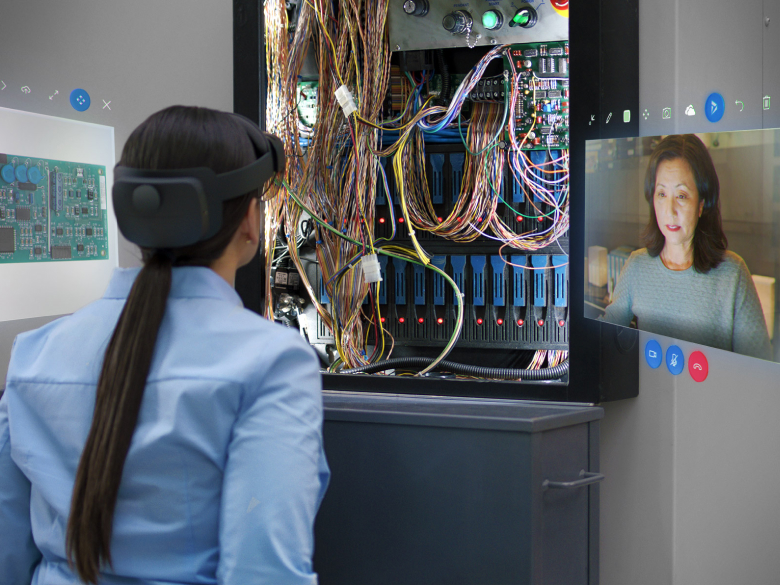
It is very important to discuss the implications of coronavirus on the global workforce. During the pandemic, as the world of work divided into those who could work from home and those who could not, our eyes were opened. Recall the noise during the first evenings of the pandemic when people stood on balconies or in windows applauding in honor of healthcare workers who were on duty caring for the sick. At the same time, frontline work itself changed to a degree we had not experienced before. From picking up orders from the sidewalk and virtual consultations to drone search and rescue operations and remote expert assistance. The pandemic brought flexibility in connecting frontline workers with customers and patients. It also created new opportunities for business transformation in every industry.
Content
Who are frontline workers
Microsoft 365 and frontline workers
7 tips to improve frontline worker management
Opium systems can help you
Frontline workers
A large portion of the global workforce does not sit at a desk to perform their duties. Various industries worldwide, such as retail, food services, healthcare, manufacturing, construction, and agriculture, are run by workers who do not have assigned desk jobs. This workforce represents over 2.7 billion people out of the global working population.
Since these employees do not have a dedicated workspace and access to technology like other workers, it can be very difficult to manage and motivate them.
Microsoft 365 and frontline workers
Frontline workers include those whose primary role involves direct engagement with customers or the general public. These are employees directly involved in producing and distributing products and services, or providing advice or support. Microsoft 365 supports frontline workers so they can do their jobs effectively and help your customers.
The following image depicts key frontline employee experiences that Microsoft 365 can improve:
For years, many frontline workers have worried that technology, especially automation and artificial intelligence, will make their jobs obsolete.
„I meet a lot of people who are concerned about being replaced by artificial intelligence, machine learning,“ says Darryl Willis, Microsoft's corporate vice president for Energy and Sustainability. „One of the things I tell people is that you have to think of machine learning and artificial intelligence as an assistant, not a replacement for expertise.“
This idea is slowly gaining traction. According to a survey, 63% of frontline workers are enthusiastic about the job opportunities that technology creates. Among the aspects of work where machine learning and artificial intelligence can be of great help are team management, training new colleagues, automating repetitive tasks, providing real-time task updates, and managing meetings.
Technology also ranked high on the list of factors that could help reduce work-related stress, coming in just behind higher pay and longer vacations. 46% of respondents said they value technological tools even more than mental health support and wellness benefits.
7 tips for improving frontline employee management
Different industries face different challenges with frontline workers. There are several best practices that apply across all these industries.
The most important thing is to maintain connection between frontline employees with remote employees and provide them with seamless, intuitive, and fast ways to communicate with each other and their managers.
This section will cover how to ensure a positive experience for frontline employees and help them remain productive in a safe environment.
Don't leave your employees in uncertainty
Your employees want to be informed and want to know what's happening in your company. This is especially true in these times of uncertainty and fear.
Some worry about losing their jobs, others about their health, and some simply worry about what the future holds. Honesty, transparency, and openness with employees are key. Therefore, your company's executives, managers, and internal communications departments should collaborate to create a positive work environment and ensure a better employee experience, not only online but also in person.
58% frontline workers believe that work-related stress will either remain the same or worsen in the coming year
Provide employees with an easy way to give feedback
Frontline workers appreciate employers who listen to them and support feedback to company leadership.
If employees at your company are exposed to a high risk of injury, one of the most effective ways to improve safety culture and prevent accidents is to optimize safety-related communication. Unfortunately, employees often „stay silent“ when they observe risky behavior, even though they know they should speak up. A safety culture survey conducted among hundreds of companies shows that 90% of respondents believe employees should alert others to risky activities. However, only 60% say they actually provide this critical feedback.
In fact, 74% of respondents confirmed that they welcome peer observations for the purpose of obtaining safety-related feedback. However, only 28% of them believe that other employees feel the same way.
Furthermore, upward feedback is important for companies undergoing digital transformation initiatives. Therefore, you should definitely not underestimate your employees' opinions.
Communicate with your employees more personally and relevantly
Content relevance has a great impact on employee motivation and engagement in the workplace.
As already mentioned, planned mass communication with frontline workers in the workplace is not a good approach. Furthermore, such communication makes it impossible to get employees' attention due to workplace noise.
If your company still lacks a way to easily segment your internal audience and make information more personal and relevant for effective communication, you need to consider many different aspects, including job tasks and functions, employees speaking different languages, and the division of the workforce.
Enable your employees to communicate via mobile.
Frontline employees make up a large portion of the global workforce, yet internal communication software solutions ignore them. Nevertheless, it is essential for a company to have an effective form of communication, and communication via mobile is key in this case.
Perhaps in your company, emails were or still are the main way of communicating with frontline workers, but this solution is not practical or fast at all. Moreover, with emails, it can happen very often that they are overlooked. Therefore, frontline workers cannot rely on a communication method that is not available to them at any time.
A recent study found that more than 83% of employees do not even have a work email address, and 45% do not have access to the company intranet even when they are at work.
Engage employees in dialogue
Open communication in the workplace should be part of your company's core values.
To keep your frontline workers engaged and aligned with the company's strategy, it's important to involve them in company-wide, two-way conversations. Consider asking frequent questions to facilitate discussion among employees.
„If you include the possibility of feedback and contributing your own content into internal communication, it will become the cornerstone of your communication strategy.“
Keep all communication in one place
Do you feel that your employees' productivity has decreased? You should pay attention, because behind their reduced efficiency could be the lengthy search for necessary information or documents in a chaotic system.
Custom-designed internal communication systems, such as the one from Opium Systems, allow for the integration of various electronic and print media, creating a unique communication environment that your employees will recognize and use in the workplace when searching for all sorts of information.
Microsoft SharePoint, Teams, or even a regular Facebook page or a private group can be just such a place. It's a great way to engage your employees because many of them already use these platforms or have heard of them from friends. Instead of pushing messages in one direction, internal communication systems from Opium Systems offer a streamlined channel for sharing news and encouraging feedback.
Empower your frontline workers to succeed with the right technology
The power of technology in keeping your employees safe, productive, and inspired is immense. While some companies might look for novel features in employee engagement apps, companies with frontline workers are more interested in features that allow them to reach the right employees at the right time with the right content.
You should also care about features that can connect different communication channels in the workplace into one platform serving as the main source of true and useful information. Additionally, such technology must be mobile-oriented, intuitive, and easy to use.
On the administrator side, communication technology must enable managers, security representatives, and internal communications departments to segment internal audiences and deliver personalized information to employees based on their job functions.
Thanks to the app that supports sending notifications to employees' smartphones, you can ensure they are immediately informed about important company news, procedures, and safety instructions, regardless of their location.
41% of frontline workers in non-management positions say they do not have the right technology to do their jobs effectively
Streamline team and individual communication across the entire company
With Opium Systems' custom corporate app, you can enrich and expand corporate communication, ensuring that each of your employees feels connected to the entire company and has a positive experience. Provide your employees with seamless communication through Teams chats, announcements, walkie-talkies, and more.
We use technologies such as cookies to store and/or access device information to provide the best experience. Consenting to these technologies will allow us to process data such as browsing behavior or unique IDs on this site. Not consenting or withdrawing consent may adversely affect certain features and functions.
Functional
Always active
Technical storage or access is necessary for the legitimate purpose of enabling the use of a specific service explicitly requested by the subscriber or user, or solely for the purpose of transmitting a communication over an electronic communication network.
Preferences
The technical storage or access is necessary for the legitimate purpose of storing preferences that are not requested by the subscriber or user.
Statistics
Technical storage or access that is used exclusively for statistical purposes.A technical storage or access that is used exclusively for anonymous statistical purposes. Without a subpoena, voluntary compliance by your Internet Service Provider, or additional records from a third party, information stored or retrieved solely for this purpose can usually not be used to identify you.
Marketing
Technical storage or access is necessary to create user profiles for ad serving or user tracking on a website or across multiple websites for similar marketing purposes.