The old SharePoint works, but it is no longer secure.
October 21, 2026
8 minutes
Readings
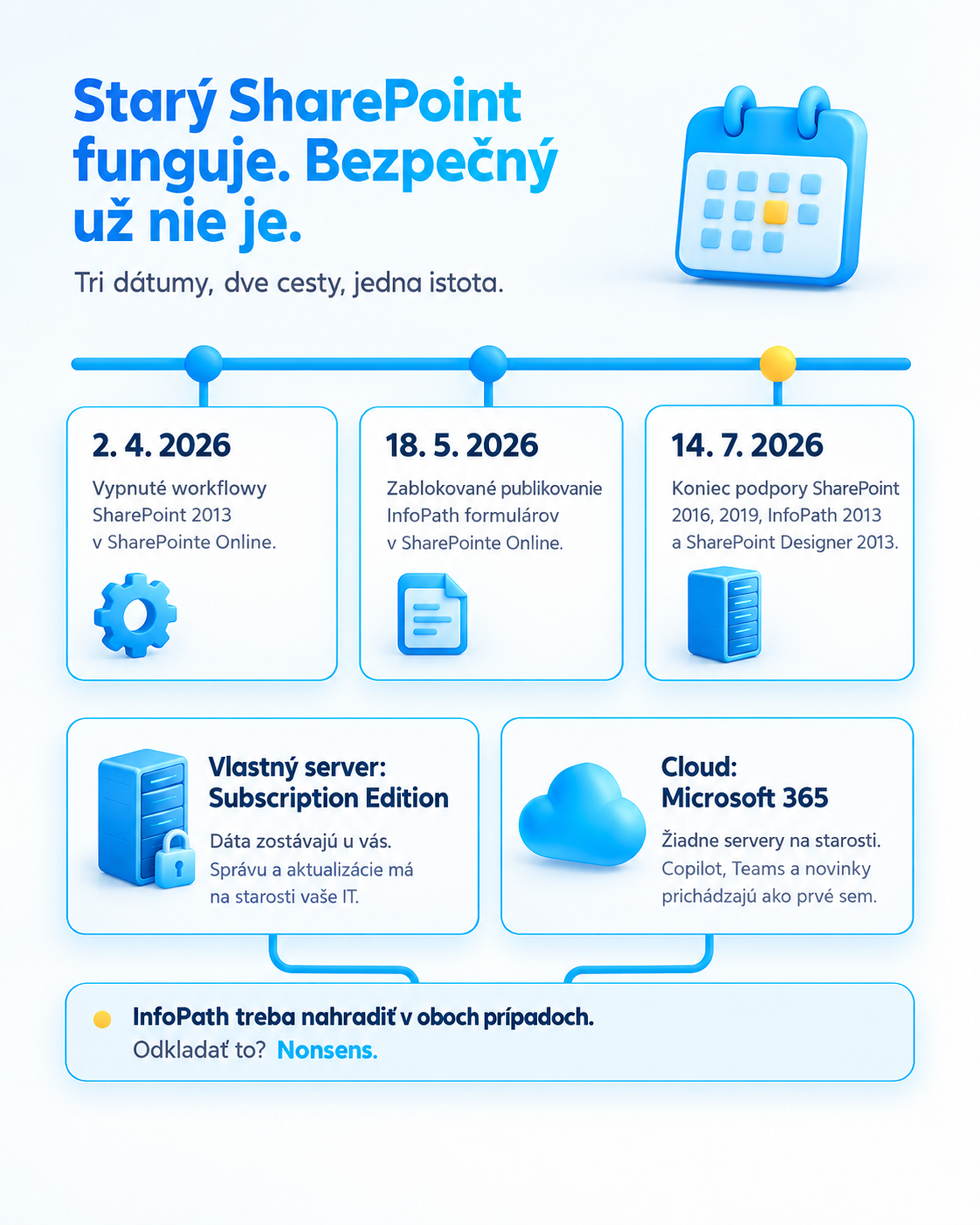
Monday morning. The intranet loads, the request for a service car goes through approval, the material order goes through as well. Everything is running as usual. Just one small detail. Starting July 2026, no one will be taking care of your SharePoint 2016 or 2019 anymore.
Because Microsoft actually ended support The old SharePoint and InfoPath, where almost all requests, orders and approval forms used to be created in most companies and offices. The server still works, just without the security patches. It’s like a car without a MOT – it works until it leaves you stranded in the middle of the road.
Summer is long gone, and yet nothing has happened – that’s exactly the treacherous feeling. Meanwhile, three rounds of security patches have been released by Microsoft, and your server is just filling up with dust. And then there’s autumn, the time when companies and cities plan their budgets for the next year. To solve it after the first incident? Nonsens.
After all, it works. Why should we worry about it?
Because „It works“ a „It’s okay“ It’s not the same. The end of support means that every new security hole that appears in the old SharePoint will remain open forever. No one will fix it or patch it up anymore. Not today, not in a month, and not even in a year.
And on SharePoint, you usually don't have unnecessary documents stored. There are contracts, data about clients and employees, invoices, and internal policies. Explaining to the auditor, the insurance company, or the management that this is the whole thing runs on a system for which no one is responsible anymore, Consultation is not exactly popular. For the authorities that manage citizens' data, this applies multiple times.
We'll buy a new server and that's sorted, right?
Almost. For those who want to stay in their own, Microsoft has a successor. It is called SharePoint Server Subscription Edition and, unlike the old versions, it has no end date. If you update it properly, it will serve continuously. You can access it directly from SharePoint 2016 and 2019, without having to go through other versions.
But there is one snag. Not even there InfoPath forms do not have support. They are gone for good. And in the cloud, Microsoft is turning them off too. So whatever you decide, The forms must be modified. A surprise that no one ordered, but that will appear in every package.
Your own server or the cloud?
A private server is like your personal car. It is yours and you can do whatever you want with it. But someone has to fill it with fuel, service it, wash it, and occasionally replace it with a new one. It makes sense especially if:
the data must remain with you, for example due to contracts with clients or internal policies,
you have other systems connected to SharePoint that won’t go to the cloud anytime soon,
You have IT that can take care of the server for a long time, not just until the next vacation.
Cloud, i.e. SharePoint in Microsoft 365, is more like a car leased for a period of time. You drive on the current model and the provider takes care of servicing, maintenance, and technical updates. You don’t have to maintain your own servers or worry about which version to upgrade to in a few years because you always use the current one. It makes sense especially when you’re already You pay for the Microsoft 365 license, But you only use outlook and the office applications from them. But if you want them to work together, you need to install the Office apps. Their colleagues also received the document on the road, from home or in the field, and you don't have the time or people to manage your own servers. And if you plan to help with AI, Cloud is a clear choice, because the news, including Copilot, comes first here.
Just be careful; moving to the cloud is not just a simple transition from an old car to a new one. Rather, it resembles a comprehensive inspection before the next trip: some components are no longer compatible with the new model, for example the older automatic workflows in Microsoft Cloud. discontinued in April 2026. So expect that some of the equipment will need to be repaired, replaced, or left in the garage during the migration. And as with any thorough inspection, here too you’ll find something that no one ever thought you still carried in the trunk.
And what about those forms?
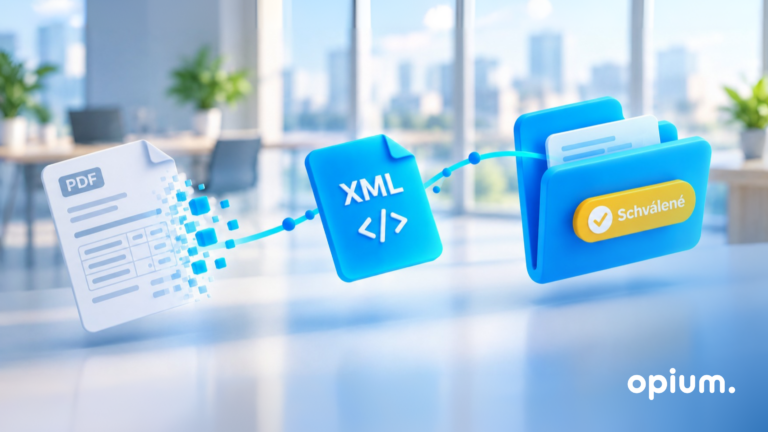
Vacation request. Material order. Car reservation. Invoice approval. Once upon a time, someone drew them in InfoPath or the old Nintex, then they left the company and since then no one dared to open them. Now is the time. The good news is that there is enough spare time:
Microsoft Forms for simple things like surveys, registrations, or quick data collection.
Power Apps on forms with logic, conditions, and approval.
However, the best recommended solution is Skybow Studio on forms and also complex custom applications when the process is critical for the company and it needs more than the ready-made tools offer.
And an even better report at the end. With such cleaning, it usually turns out that some forms have not been used for years and others can be combined into one. Less forms, less clicking, less nonsense.
What does it look like when it works?
A few examples from our practice where we put the agenda in a proper place in Microsoft 365 in Opium.systems:
Marius Pedersen: holidays and PN in one calendar, approximately 35 questions solved per month without emails and phone calls.
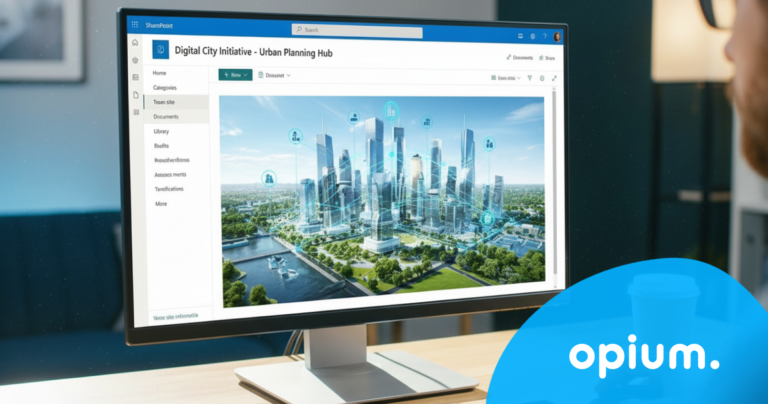
Trnava City: A personalized urban hub launched in about 2.5 weeks, in which people search around 60 times per day.
The city of Košice: booking of company cars, technical inspection, roadworthiness certificate and EC certificate in one place, without having to call the offices.
Exactly such agendas still live in old InfoPath or Nintex forms in many companies and offices today, waiting for someone to liberate them.
Where to start?
You don't have to solve everything at once. Just four steps are enough:
Take a look at what you have in SharePoint – sites, libraries, forms. And most importantly, what people are actually using from it.
Clarify what is important to you. Do the data have to stay with you? Do you have someone who will take care of the server for you?
Consider the full cost, not just the license for the server, but also the hardware and the time of the people involved. With cloud licensing, there is no need for one-time downloads.
Put it in the budget for next year while you still can.
Don't know where to start? Try ours Nonsense Scanner. 3 minutes, 8 simple questions and You will see how much time and money unnecessary operations cost you and where it all comes down to the most.. A good stepping stone for decisions regarding SharePoint as well.
What next?
The old SharePoint isn’t an accident that happened in July. It’s a warning light that has been turned on and the car is still moving forward. The sooner you go to the service, the more you can handle the situation calmly, rather than on the shoulder lane with a warning triangle.
If your company, city, or organization is considering what to do with old SharePoint and forms, we at Opium.systems are happy to help you. We’ll see what you have, design a path that makes sense for you specifically, and we’ll take it all the way to the end. No nonsense.
No, it keeps running. Just without security permissions, so the risk increases every month.
Will the new InfoPath server solve the problems?
No. The Subscription Edition no longer supports them. You need to migrate them to a new solution, either stay on the server, or go to the cloud.
Do we have to go to the cloud?
You don't have to. If you have the reason to keep your data with you and someone to take care of the server, having your own server makes sense. However, for many smaller companies and municipalities, the cloud is a simpler way because the hassle of technology is eliminated.
Share post
Article content
Do you know where exactly you're wasting time and money?
Launch our NONSENSE SCANNER. In 3 minutes, you'll find out how much precious time and money you're actually burning on unnecessary operations.
We use technologies such as cookies to store and/or access device information to provide the best experience. Consenting to these technologies will allow us to process data such as browsing behavior or unique IDs on this site. Not consenting or withdrawing consent may adversely affect certain features and functions.
Functional
Always active
Technical storage or access is necessary for the legitimate purpose of enabling the use of a specific service explicitly requested by the subscriber or user, or solely for the purpose of transmitting a communication over an electronic communication network.
Preferences
The technical storage or access is necessary for the legitimate purpose of storing preferences that are not requested by the subscriber or user.
Statistics
Technical storage or access that is used exclusively for statistical purposes.A technical storage or access that is used exclusively for anonymous statistical purposes. Without a subpoena, voluntary compliance by your Internet Service Provider, or additional records from a third party, information stored or retrieved solely for this purpose can usually not be used to identify you.
Marketing
Technical storage or access is necessary to create user profiles for ad serving or user tracking on a website or across multiple websites for similar marketing purposes.